MikroTik hotspot billing on the router you already have
FLUXI turns a MikroTik router into a paid Wi‑Fi hotspot. Customers pay by MTN MoMo, Airtel Money or a printed voucher, and the router enforces the time, speed and data they bought.
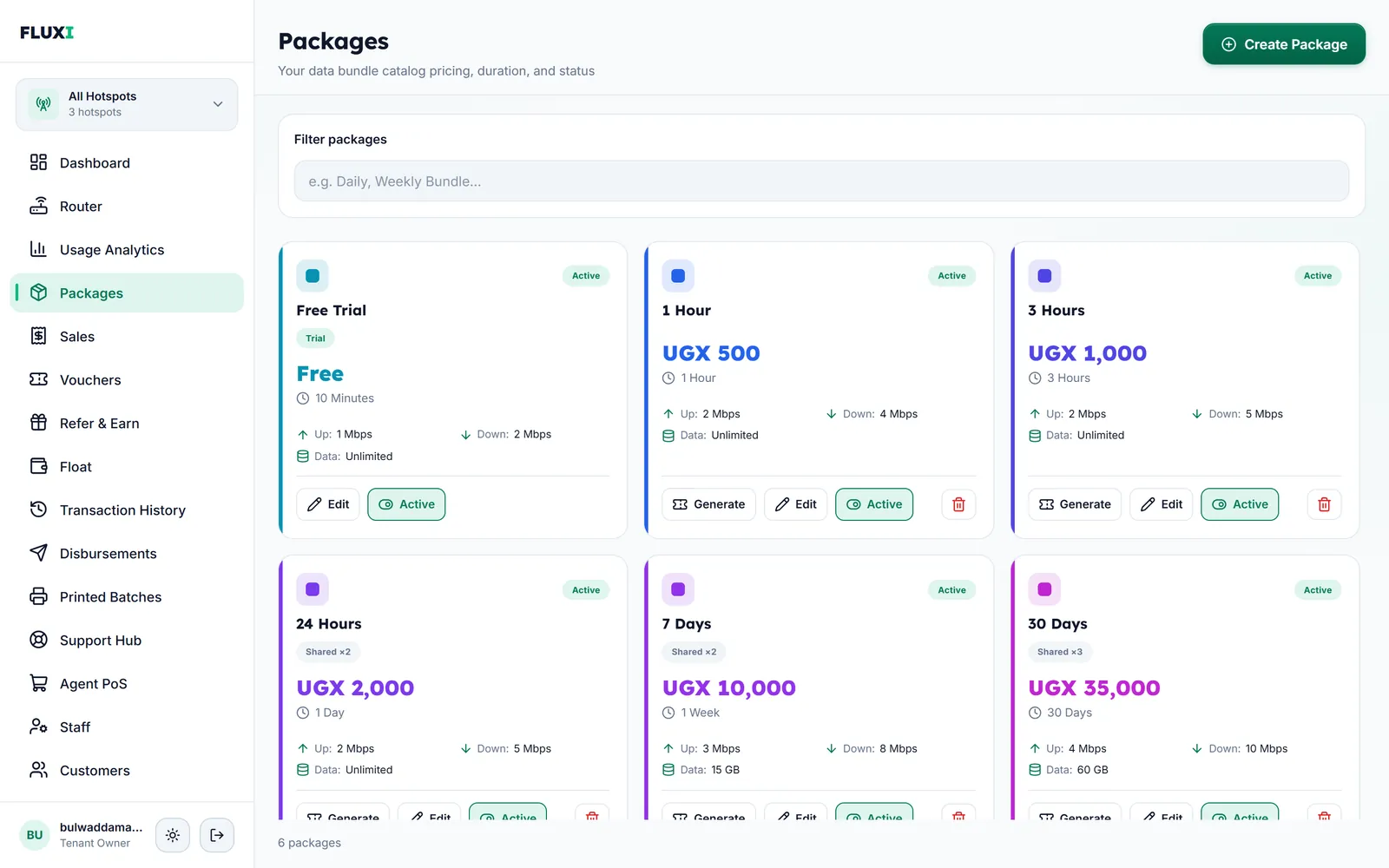
What FLUXI does for you
Packages you control
Set each package's price, time from minutes to weeks, upload and download speed, data limit and how many devices can share it. Mobile money packages start at UGX 500.
Limits the router enforces
Speed and data limits are applied by the MikroTik itself. When a customer reaches the data limit, access ends even if time is left.
A login page on the router
Your customers' login page is installed on the router, in one of four designs that follow the phone's light or dark setting. It shows your business name and support numbers.
Several hotspots, one account
Run as many hotspots as you have routers from one account. Switch to one hotspot or see all of them together.
Checked before it starts
FLUXI needs RouterOS 6.49.18 or newer. Setup starts with a check that only reads the router and tells you whether it is ready.
How it works with MikroTik
- Check the router: paste the version check into Winbox and press the button that matches what it prints.
- Name your hotspot and enter the router's own login. No IP address is needed.
- Paste one command into Winbox's New Terminal.
- FLUXI finishes the setup: network checks, cleanup, the hotspot and your payment page.
- Customers join your Wi‑Fi, pay or enter a voucher, and go online.
What it does not do
We would rather say it plainly.
- It works with MikroTik routers only.
- RouterOS 7 is not offered for new setups yet. Routers need RouterOS 6.49.18 or newer.
- FLUXI never upgrades a router on its own. An upgrade restarts the router, so you choose when.
- The login page uses your business name and support numbers. Uploading a logo or using your own web address is not available.
Frequently asked questions
Which MikroTik routers work with FLUXI?
Any MikroTik running RouterOS 6.49.18 or newer can take the version check. FLUXI only lists a board after running it; today that is the RB951Ui-2HnD.
Do I need a public IP address?
No. The router connects out to FLUXI over an encrypted link, so it works behind your internet provider's network.
Will setup remove my old billing system?
Setup removes files a previous billing system left on the router and sets up FLUXI's own hotspot login page.
Can I change the login page design?
Yes. Choose one of four designs in Settings. Your current page keeps working until the new one is installed.
Who upgrades RouterOS?
You do. FLUXI shows when a router needs a newer RouterOS and how to upgrade it, but never restarts a live router itself.
Related guides
More FLUXI features
Run your hotspot on FLUXI
Sell by voucher or mobile money, keep every shilling accounted for, and see every router from one dashboard.
Get Started