See every router and every session, live
Which customers are online, how much time and data each has left, and whether each router is up, with a minute-by-minute history behind it.
What FLUXI does for you
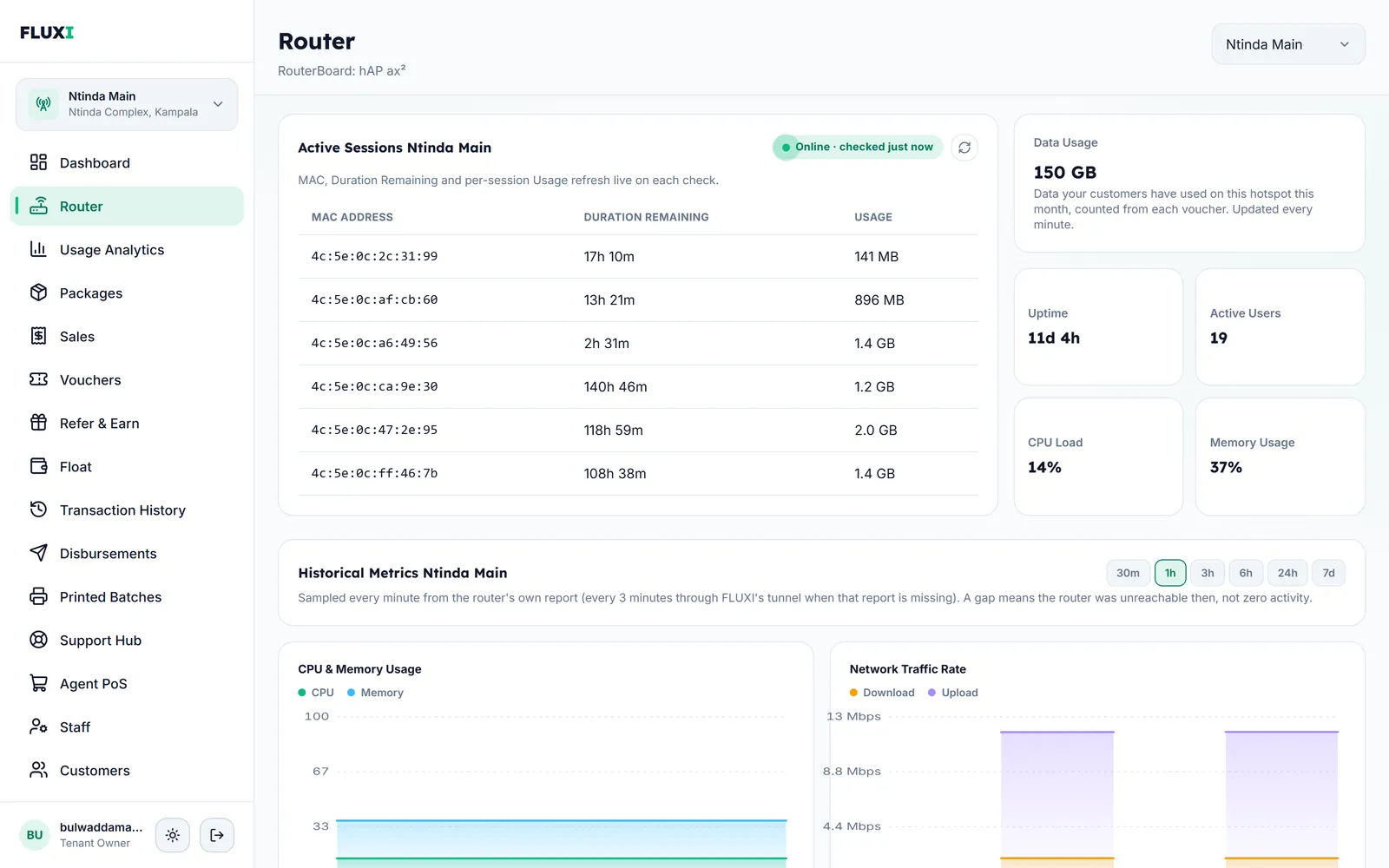
Live sessions
Every connected device with its MAC address, the time left on its voucher and the data it has used, refreshed each time you check.
Router health
Online status, uptime, active users, CPU load and memory for each router, on the Router page and on your dashboard.
History, minute by minute
CPU and memory, traffic and active users over the last 30 minutes up to 7 days. A gap in the chart means the router could not be reached then, not that it was quiet.
A status you can trust
A router only shows Offline after it misses two checks in a row, so a short blip does not cry wolf. If the router is still reporting but FLUXI's link to it is down, it says so.
Usage and support tools
Usage Analytics shows activations, data used, sales per package and top customers. The Support Hub finds any voucher or phone number and shows paid vouchers that never connected.
How it works with MikroTik
- During setup FLUXI installs a small report on the router.
- Every minute the router reports its status, load and sessions to FLUXI.
- If that report goes missing, FLUXI asks the router directly through its secure link.
- Your dashboard and Router page show the latest reading and the history behind it.
What it does not do
We would rather say it plainly.
- It does not send alerts by SMS, email or push when a router goes offline. You see the status on your dashboard.
- It does not show which websites customers visit.
- There is no button to disconnect a customer. It was removed on purpose.
Frequently asked questions
How often does FLUXI check my router?
Every minute, from the router's own report. When that report is missing, FLUXI checks through its secure link every 3 minutes.
What does a gap in the history chart mean?
That the router could not be reached at that time. FLUXI never fills a gap with zeros.
Can I see data use per customer?
Yes. The Router page shows the data each connected device has used, and the Vouchers page shows data used per voucher.
Will FLUXI alert me when a router goes down?
Not today. The router's status shows on your dashboard and Router page.
Can I monitor several hotspots?
Yes. Switch between hotspots, or look at all of them together on the dashboard.
Related guides
More FLUXI features
Run your hotspot on FLUXI
Sell by voucher or mobile money, keep every shilling accounted for, and see every router from one dashboard.
Get Started